
Stock that knows what you actually paid.
Weighted-average costing reflects your real cost basis. Sell at any margin and the profit report is honest. Stock adjusts automatically on purchases and sales. Discrepancies are flagged, not buried.
Inside the app
See it in action
Moving Weighted-Average Costing
Each time you receive a purchase invoice for a product you've already stocked, EVRST recalculates the unit cost using a moving weighted average. Your COGS reports reflect what you truly paid, not the last invoice number.
- ✓Auto-recalculates on every purchase approval
- ✓Tracks cost basis over time (no "fantasy costs")
- ✓Margin reports stay honest as prices fluctuate
- ✓Accurate cost basis per product and category
Manual count corrections, with a paper trail.
Found 86 USB-C hubs on the shelf, not 87? Log a count correction in three clicks. The adjustment is timestamped, attributed to your user, and never silently rewritten.
- ✓Reason code required on every correction
- ✓User, timestamp, and old/new value captured
- ✓Reconciliation report at month end
- ✓Discrepancy alerts when adjustments exceed threshold
Stock Alerts
Low-stock alerts per SKU.
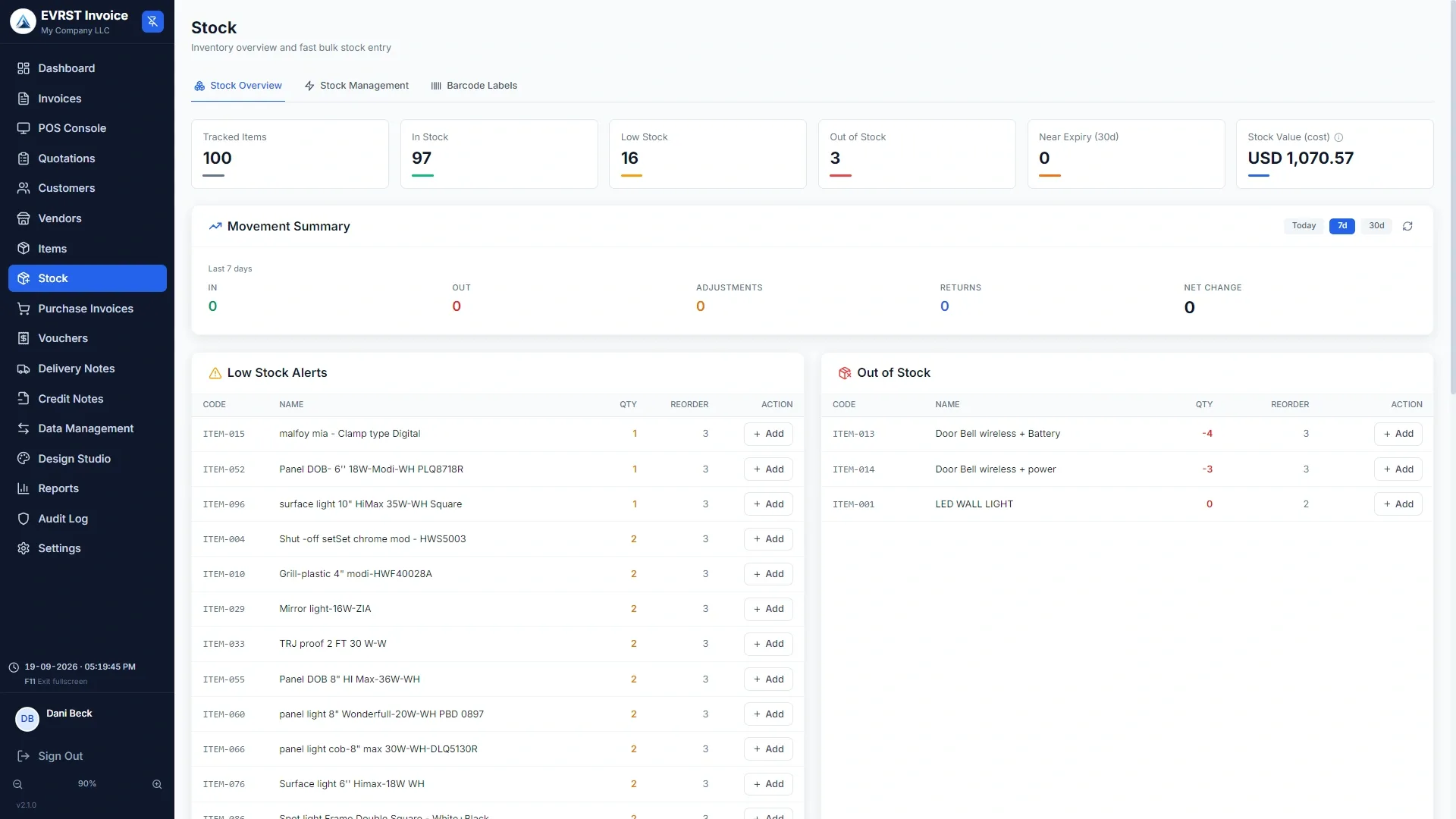
Set a reorder threshold per product. EVRST surfaces anything below it on the dashboard, so you reorder before the shelf goes empty.
Custom thresholds
Different reorder points for fast-movers vs slow stock. Configure once, alert forever.
Dashboard surface
Low-stock items appear on the main dashboard and the inventory list. Nothing to remember.
Out-of-stock
At zero, the item is marked Out of Stock and the POS hides it (configurable).
Broken returns don't go back on the shelf.
Refund an item that comes back broken with "Return to stock" off and pick a reason (damaged, defective, wrong item). EVRST moves the unit to a separate Defective bucket that does not touch your sellable stock, so you never accidentally sell a broken unit.
- ✓"Defective on hand" panel on the item detail page
- ✓Dispose Defective Stock action when you scrap or return to supplier
- ✓Defective Returns report: what came back, why, worst offenders
- ✓Sellable stock figure unchanged, so reports stay honest
Optional modules
Serialized inventory & warranty.
Track units one by one for phones, vehicles, appliances, anything serialised. Stamp a warranty onto every sale and the printed invoice becomes the warranty card.
Per-unit tracking by IMEI, VIN, or serial
Toggle in Settings > Modules & Features, then tick "Track serials" on the items that need it. Pick the identifier term (serial number, IMEI, VIN, chassis) and set validation rules.
- ✓Buy: enter each identifier on the purchase invoice
- ✓Sell: pick the exact unit leaving the shop at POS or on the invoice
- ✓Serial Lookup page shows a unit's whole life at a glance
Stamp a "valid until" date onto every sale
Toggle Warranty on, then on any item tick "Offer warranty on this item" and set the duration. The sale captures the warranty terms at the moment of purchase.
- ✓Printed invoice shows "valid until" badge on the line
- ✓Standard warranty terms set once print at the foot of every invoice
- ✓Reprint an old invoice years later, the original terms still show
Stop guessing what you have. Start knowing.
Inventory that reconciles with the P&L is inventory you can actually run a business on.
New in 2.1.0
Sell sets as one product, and label the shelf.
One product at the counter, several off the shelf.
A gift hamper, a starter kit, a phone with a case and a screen protector. Create an item, choose Bundle as its type, then pick the component items and how many of each go into it.
- ✓The bundle gets its own name, code, price and barcode, and scans like any product
- ✓Selling one bundle deducts each component by its own quantity, not the bundle
- ✓Refund it and the components come back to stock
- ✓Profit uses the real cost of the components, so bundle margins are honest
- ✓Give a bundle a validity window if it is a seasonal offer
Label the goods the moment they arrive.
Open Stock > Barcode Labels, search for the items you want, set how many labels each needs, choose what appears on them, preview, and print.
- ✓Choose name, code, price and barcode per label
- ✓Label size and printer are set per till, because a label printer lives on one machine
- ✓The look of the label is designed once for the whole business in Design Studio
- ✓Turn on the prompt and EVRST offers to label goods the moment you post a purchase
Common Questions